 Picture Describer
Breakfast table
A cup of coffee and a croissant with a slice of bread on a plate set on a wooden table, with a green cloth nearby and a bright kitchen background.
Upload an image, get alt text ready to paste into your HTML or CMS.
Description style
A short description, about 125 characters, for the alt attribute of an image.
Learn more about alt text0/
Output: English
These unedited AI outputs are drafts. Check each one against the image's purpose on your page before publishing.
Breakfast table
A cup of coffee and a croissant with a slice of bread on a plate set on a wooden table, with a green cloth nearby and a bright kitchen background.

Reading corner
Cozy living room corner with beige armchair, striped pillow, soft throw, woven ottoman, wooden bookshelves, and a tall floor lamp by a window.
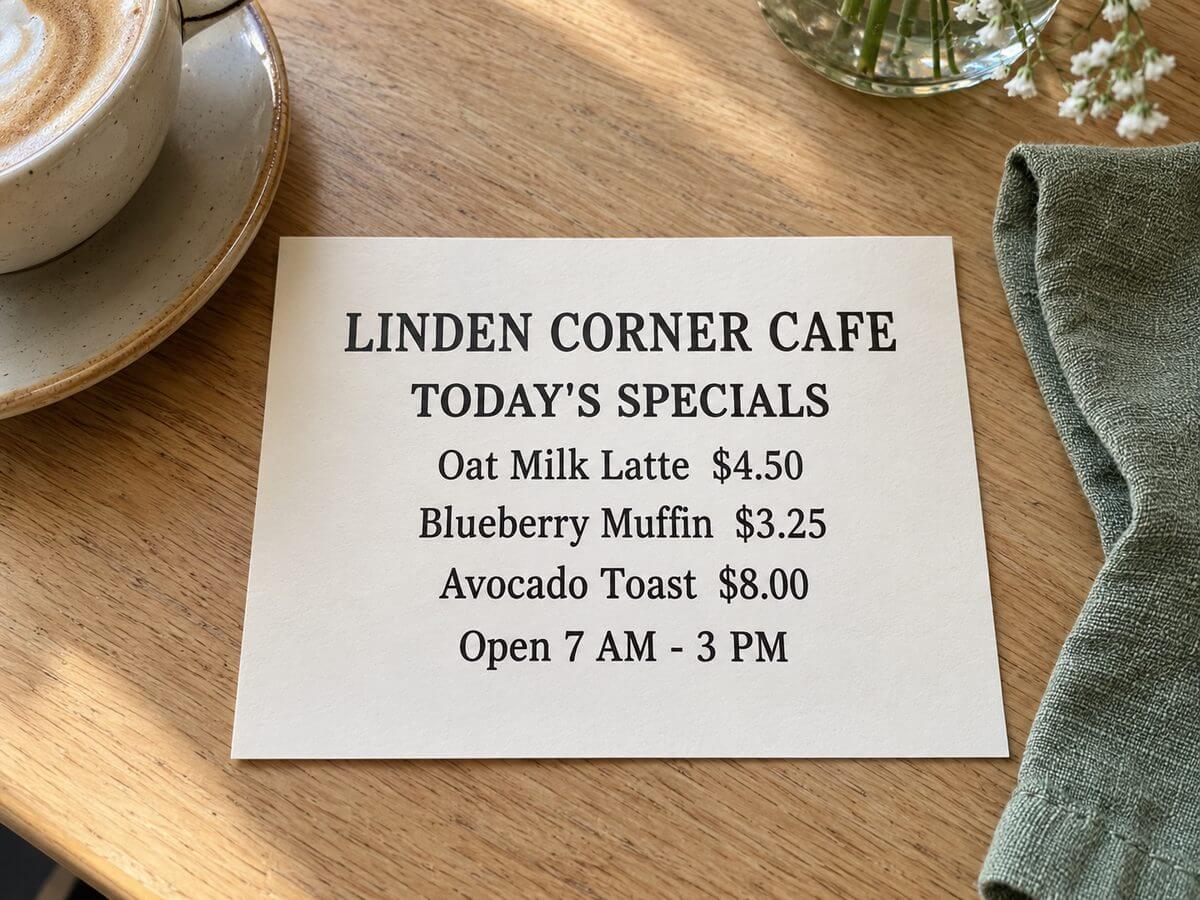
Cafe menu card
A restaurant menu card on a wooden table lists Linden Corner Cafe specials, with items and prices, beside a cup and napkin.
Include the visual details that help someone understand the image in its page context.
Aim for about 125 characters or fewer. Keep only details that help convey the image's purpose.
Screen readers already identify an image. Start with the useful description instead.
Decorative images that add no information should use alt="".
Upload one JPG, PNG or WebP image at a time, up to 10 MB.
Alt text is generated in English.
AI output can miss the image's purpose in your page. Review and correct it before publishing.
Uploaded images are deleted within 7 days. Free daily use follows the same limit as the Picture Describer homepage.
Alt text is a short text alternative for an image. It should communicate the information that image adds to its page.
No. Use alt="" for decorative images. For informative images, describe the details that matter in the page context.
Yes. Select the alt attribute option next to the result, then copy the escaped alt="…" text.
Aim for about 125 characters or fewer, but prioritize the image's purpose over a strict character count. Avoid starting with “image of.”
Yes. Check that it fits the image's role on your page and correct any missing or inaccurate details before publishing.