
GPT Image 2.6 Prompt Generator

The GPT Image 2.6 Prompt Generator turns a reference image into a structured English prompt. Upload one picture to get a copy-ready draft in four labeled sections: Scene, Subject, Details, and Constraints.

  • Free every day
  • No sign-up
  • JPG, PNG, WebP
Try a sample:

Description style

A concise English prompt in four labeled sections: Scene, Subject, Details, and Constraints.

194/

Prompt output

GPT Image prompt example

An unedited English prompt generated from the sample image shown here.

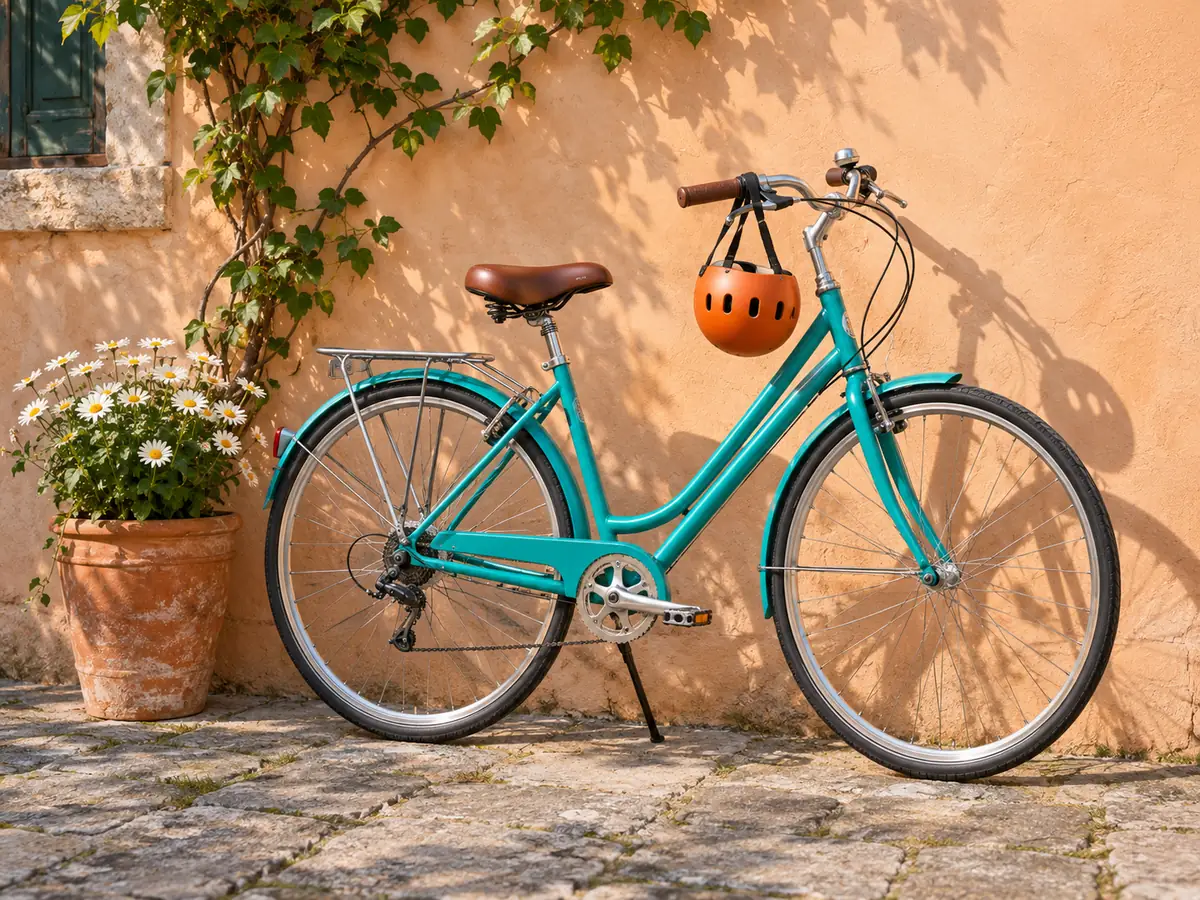
A teal bicycle with an orange helmet leans against an apricot wall beside white daisies.

Courtyard bicycle prompt

Scene: A sunlit outdoor scene with a peach-colored wall and a potted plant among cobblestone ground. A turquoise bicycle is parked against the wall, with a shadow cast on the wall. Subject: The turquoise bicycle with a brown saddle and an orange helmet hanging from the handlebars. Details: The bike features a step-through frame, silver chainring, and black tires. The orange helmet is attached to the handlebars, and a small metal rack sits above the rear wheel. There is a pot of daisies to the left of the bike. Constraints: None specified.
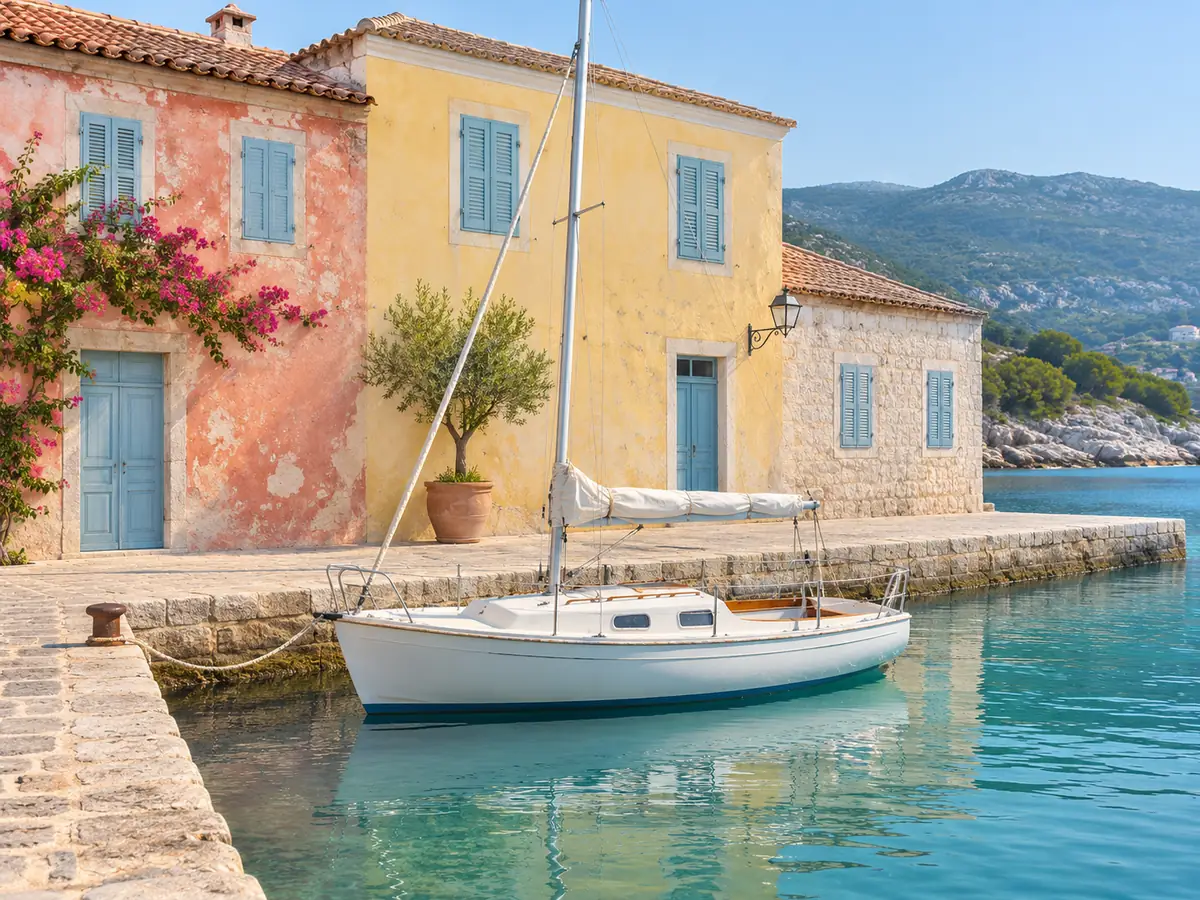
A white sailboat rests in a turquoise harbor beside pastel buildings and distant hills.

Harbor sailboat prompt

Scene: A sunny seaside harbor with pastel-colored buildings along a stone quay and a small sailboat moored in calm turquoise water. Mountains are visible in the background. Subject: A white sailboat tied to the dock near a pastel pink and yellow waterfront building. Details: The boat has a raised cabin, a folded sail, and rigging. The pink building features blue shutters and a flowering vine along the wall. A potted tree stands between the two main buildings. If any text is visible, none is legible in the scene. Constraints: None stated.

How to create a GPT Image 2.6 prompt from an image

01

Upload a reference image

Choose one JPG, PNG, or WebP image. The tool reads visible details from the picture.

02

Generate the prompt

Get an English draft organized into four labeled sections: Scene, Subject, Details, and Constraints. Edit the instructions to focus on a particular visible detail.

03

Copy and adapt it

Copy the prompt into GPT Image 2.6, then refine the details to match the image you want to create.

Supported images and prompt limits

Supported images

Upload one JPG, PNG, or WebP image at a time, up to 10 MB.

English output

The prompt draft is in English and covers details visible in the reference image.

Image interpretation

The tool cannot confirm details that are hidden or unclear in the image. Review the draft and remove anything that does not match your intent.

Image retention

Uploaded images are deleted within 7 days. Free daily use follows the same limit as the Picture Describer homepage.

GPT Image 2.6 prompt questions

What should a GPT Image 2.6 prompt from a photo include?

Include the visible scene, main subject, relevant details, and constraints such as framing or style you want to preserve. This page organizes them into four labeled sections you can review before copying.

Which details matter in an image prompt?

Describe visible materials, lighting, colors, framing, and texture when they matter to the image. For people, include pose and interaction with objects only when they are clear in the reference.

Should I quote text shown in a reference image?

Include exact wording only when it is readable, and keep it in quotation marks in the prompt. Check spelling and legibility in the generated image.

Does every image prompt need the same format?

No. Choose a format that is easy to review and adapt. The four labeled sections here are an editable starting point, not a requirement for every prompt.

Describe an image for another use

Open Picture Describer to create alt text, captions, or other image descriptions.

Picture DescriberGenerate prompts for MiniMax H3-Image